How to integrate Metaads MCP with OpenCode

How to integrate Metaads MCP with OpenCode This guide explains how to connect Metaads MCP to OpenCode using Composio Connect, which simplifies OAuth, API changes, and reliability concerns. There are two ways to set this up: Via Composio Connect MCP Via the Composio CLI

Metaads logoMetaads
Oauth2Api Key

Metaads is Meta's official Ads API that lets you manage, analyze, and optimize your Facebook and Instagram ad campaigns. Streamline ad operations and gain deeper insights with robust automation.

50 Tools

How to integrate Metaads MCP with OpenCode

This guide explains how to connect Metaads MCP to OpenCode using Composio Connect, which simplifies OAuth, API changes, and reliability concerns.

There are two ways to set this up:

Also integrate Metaads with

Why use Composio?

Composio provides a single MCP server or CLI tool that exposes a set of meta-tools, allowing you to:

  • Connect to 1,000+ apps with on-demand tool loading, so you do not fill your LLM context window with unnecessary tool definitions.
  • Use programmatic tool calling through a remote Bash tool, letting LLMs write their own code to handle complex tool chaining. This reduces back-and-forth for frequent tool calls.
  • Handle large tool responses outside the LLM context to keep conversations lean.

Connect Metaads with OpenCode

Option 1: Using Composio CLI

1. Install Composio CLI

Install the Composio CLI, authenticate, and initialize your project:

bash
# Install the Composio CLI
curl -fsSL https://composio.dev/install | bash

# Authenticate with Composio
composio login

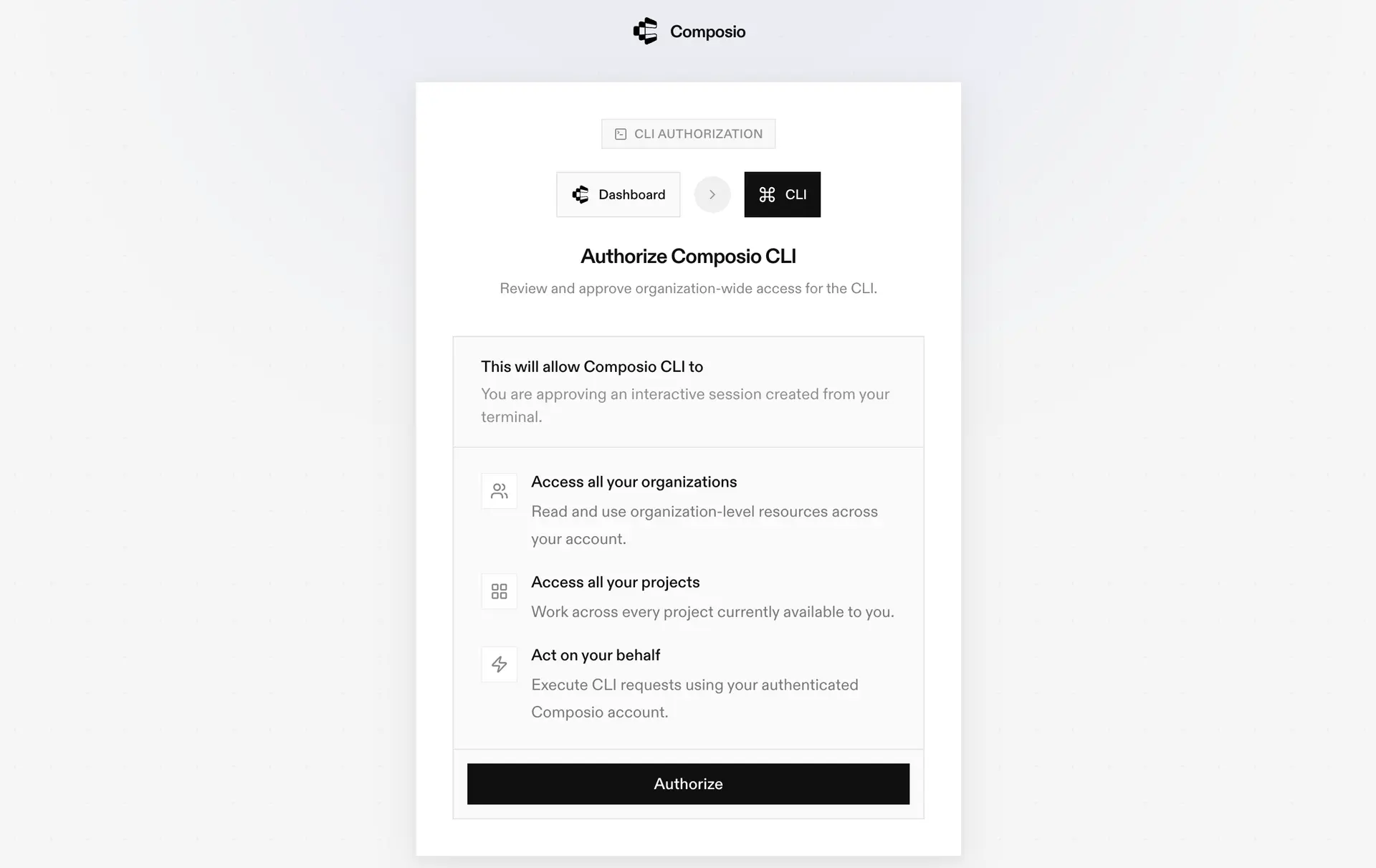
During login, you will be redirected to the sign-in page. Finish the flow and you are all set.

Composio CLI authorization screen

2. Authorize Metaads

Once the CLI is installed, it is essentially done. Give OpenCode access to your apps with these steps:

  1. Launch OpenCode.
  2. Prompt it to "Authenticate with Metaads Composio".
  3. Complete the authentication and authorization flow, and your Metaads integration is all set.
  4. Start asking anything you want.

Option 2: Using Composio MCP

You can also connect Metaads to OpenCode by adding Composio as an MCP server through the OpenCode CLI.

1. Add the Composio MCP server

bash
opencode mcp add

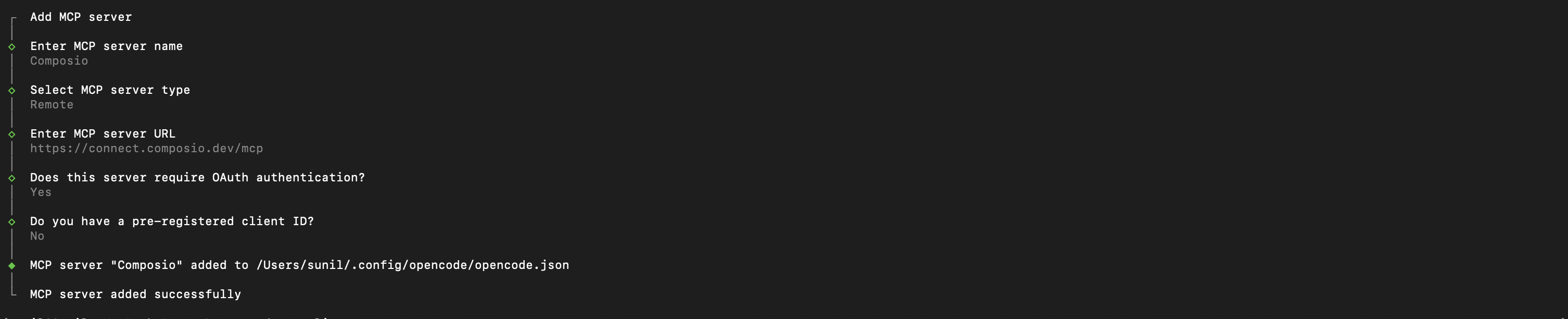
This launches an interactive prompt.

2. Fill in the fields

FieldValue
Namecomposio
Typeremote
URLhttps://connect.composio.dev/mcp
Require OAuthYes
Have client IDNo
OpenCode MCP server interactive prompt for Composio

Alternatively, you can skip the interactive prompt and paste the configuration directly into your OpenCode config file.

Open your global OpenCode config:

bash
open ~/.config/opencode/opencode.json

Add this under the mcp key and save the file.

bash
{
  "mcp": {
    "composio": {
      "type": "remote",
      "url": "https://connect.composio.dev/mcp",
      "enabled": true
    }
  }
}

3. Authenticate

Authenticate the Composio MCP server you just added:

bash
opencode mcp auth composio

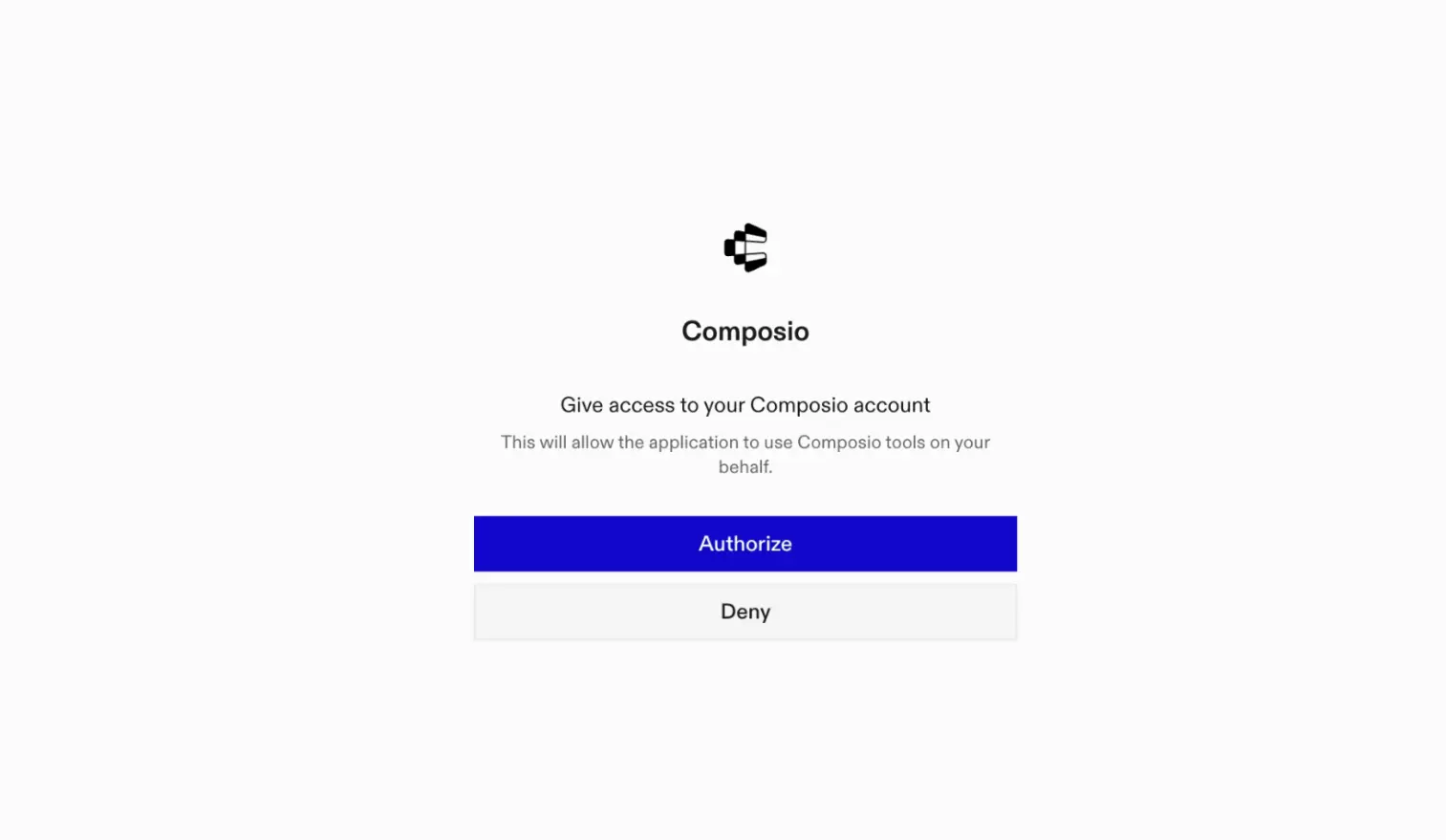
This opens a browser session. Authorize Composio and you are done.

Composio browser authorization for OpenCode MCP

4. Verify installation

bash
opencode mcp list

5. Connect Metaads with OpenCode

Now, in the chat, ask the agent to connect to Metaads or give it any Metaads-related task.

For example, ask it to:

  • "Get ad performance insights for last week"
  • "Create a new campaign for summer sale"
  • "Pause all ads in underperforming campaigns"

It will prompt you to authenticate and authorize access to Metaads.

That is it. Composio tools are now available in OpenCode, and your Metaads account is ready to use.

Way Forward

Now that Metaads is connected, extend your setup by connecting the other apps you already use every day, so your agent can run true cross-app workflows end to end.

  • Connect Calendar to turn threads into scheduled meetings automatically.
  • Connect Slack or Teams to post summaries, approvals, and alerts where your team works.
  • Connect Notion, Linear, Jira, or Asana to convert requests into tickets, tasks, and docs.
  • Connect Drive, Dropbox, or OneDrive to fetch, file, and share attachments without manual steps.

Start with one workflow you do repeatedly, then keep adding apps as you find new handoffs. With everything behind a single MCP endpoint, your agent can coordinate multiple tools safely and reliably in one conversation.

TOOLS

Supported Tools

Every Metaads action and event your agent gets out of the box.

Create Ad

Create a new ad within an ad set using the Meta Marketing API.

Create Ad Creative

Create a new ad creative using the Meta Marketing API.

Create Ad Set

Create a new ad set within a campaign using the Meta Marketing API.

Create Campaign

Create a new advertising campaign using the Meta Marketing API.

Create Custom Audience

Create a new custom audience using the Meta Marketing API.

Delete Campaign

Delete an advertising campaign using the Meta Marketing API.

Get Ad Accounts

Tool to retrieve all ad account IDs accessible to the authenticated user from Meta Ads.

Get Ad Creative

Get Ad Creative

Get Insights

Get insights data for a Meta Ads object (ad account, campaign, ad set, or ad) using the Meta Marketing API.

Get Meta Object

Tool to retrieve data for any Meta Marketing API object by its ID.

Get Page Accounts

Tool to retrieve permanent page access tokens for accounts managed by the user.

Get User

Tool to retrieve information about the authenticated user from Meta (Facebook) Graph API.

List Ad Creatives

Tool to list all ad creatives under an ad account.

List Ad Network Analytics

Tool to retrieve ad network analytics for a Meta Business using the Meta Marketing API.

List Ad Network Analytics Results

Tool to retrieve ad network analytics results for Facebook Audience Network.

List Ads

Tool to list all ads under an ad account using the Meta Marketing API.

List Agencies

Tool to retrieve agencies associated with a Meta Business or Ad Account.

List Assigned Pages

Tool to retrieve Facebook Pages assigned to a business user via Meta Marketing API.

List Assigned Users

Tool to list users assigned to a Facebook Page or Ad Account within a specific business context.

List Business Ad Accounts

Tool to retrieve all ad accounts owned by a specific Business Manager.

List Business Invoices

Tool to retrieve business invoices from Meta Marketing API.

List Client Ad Accounts

Tool to list all client ad accounts accessible to a business from Meta Ads.

List Client Apps

Tool to retrieve client apps associated with a Meta Business using the Marketing API.

List Client Instagram Assets

Tool to retrieve Instagram assets that are shared with a business as a client using the Meta Marketing API.

List Client Offsite Signal Container Business Objects

Tool to retrieve client offsite signal container business objects for a business from Meta Marketing API.

List Client Pages

Tool to retrieve client pages associated with a Meta business.

List Clients

Tool to retrieve client businesses associated with a Meta Business Manager.

List Collaborative Ads Collaboration Requests

Tool to retrieve collaborative ads collaboration requests for a Meta Business using the Marketing API.

List Collaborative Ads Suggested Partners

Tool to retrieve collaborative ads suggested partners for a business from Meta Marketing API.

List Initiated Audience Sharing Requests

Tool to retrieve initiated audience sharing requests for a business using the Meta Marketing API.

List Managed Partner Ads Funding Source Details

Tool to retrieve managed partner ads funding source details for a Meta Business.

List Owned Apps

Tool to retrieve apps owned by a business from Meta Marketing API.

List Owned Businesses

Tool to retrieve businesses owned by a parent Business Manager from Meta Marketing API.

List Owned Instagram Assets

Tool to list Instagram accounts/assets owned by a Meta Business.

List Owned Offsite Signal Container Business Objects

Tool to retrieve owned offsite signal container business objects for a business from Meta Marketing API.

List Owned Pages

Tool to retrieve Pages owned by a Business Manager from Meta Marketing API.

List Pending Client Ad Accounts

Tool to retrieve pending client ad account access requests for a Business Manager from Meta Ads.

List Pending Client Apps

Tool to retrieve pending client apps for a Meta Business.

List Pending Client Pages

Tool to retrieve pending client pages for a Business Manager using the Meta Marketing API.

List Pending Shared Offsite Signal Container Business Objects

Tool to retrieve pending shared offsite signal container business objects from Meta Marketing API.

List Pending Owned Ad Accounts

Tool to retrieve pending owned ad accounts for a Business Manager account from Meta Marketing API.

List Pending Owned Pages

Tool to retrieve Pages with pending ownership status for a Business Manager from Meta Marketing API.

List Pending Users

Tool to retrieve pending users from a Business Manager in Meta Marketing API.

List Received Audience Sharing Requests

Tool to retrieve all received audience sharing requests for a business using the Meta Marketing API.

List System Users

Tool to retrieve system users for a Meta Business Manager account.

List Targeting Search

Tool to search for targeting options in Meta Ads Marketing API.

Read Ad Sets

Retrieve ad sets from a Meta ad account using the Marketing API.

Update Ad Creative

Update Ad Creative

Update Campaign

Update an existing advertising campaign using the Meta Marketing API.

Upload Ad Image

Upload an image for use in Meta ad creatives using the Marketing API.

FAQ

Frequently asked questions

With a standalone Metaads MCP server, the agents and LLMs can only access a fixed set of Metaads tools tied to that server. However, with the Composio Tool Router, agents can dynamically load tools from Metaads and many other apps based on the task at hand, all through a single MCP endpoint.

Yes, you can. OpenCode fully supports MCP integration. You get structured tool calling, message history handling, and model orchestration while Tool Router takes care of discovering and serving the right Metaads tools.

Yes, absolutely. You can configure which Metaads scopes and actions are allowed when connecting your account to Composio. You can also bring your own OAuth credentials or API configuration so you keep full control over what the agent can do.

All sensitive data such as tokens, keys, and configuration is fully encrypted at rest and in transit. Composio is SOC 2 Type 2 compliant and follows strict security practices so your Metaads data and credentials are handled as safely as possible.

Start with Metaads.It takes 30 seconds.

Managed auth, hosted MCP servers, and every Metaads tool your agent needs.Free to start.

Start building