How to connect Cats to Claude Cowork

Cowork is Anthropic's AI agent for knowledge work. Think of it as Claude Code for everything else. It works autonomously with your computer, local files, and applications to accomplish complex tasks. This guide walks you through the easiest and most secure way to connect your Cats account to Cowork via Composio Connect, enabling it to show me five random cat images, list popular cat breeds with photos, find unique cat facts for trivia, and more such actions on your behalf without compromising your account security.
Cats logoCats
Api Key

Cats is an API with a huge library of cat images, breed data, and cat facts. It makes finding adorable cat photos and trivia effortless for your apps and users.

18 Tools

Introduction

Cowork is Anthropic's AI agent for knowledge work. Think of it as Claude Code for everything else. It works autonomously with your computer, local files, and applications to accomplish complex tasks.

This guide walks you through the easiest and most secure way to connect your Cats account to Cowork via Composio Connect, enabling it to show me five random cat images, list popular cat breeds with photos, find unique cat facts for trivia, and more such actions on your behalf without compromising your account security.
Also integrate Cats with

Connecting Cats to Claude Cowork

1. Open Customize

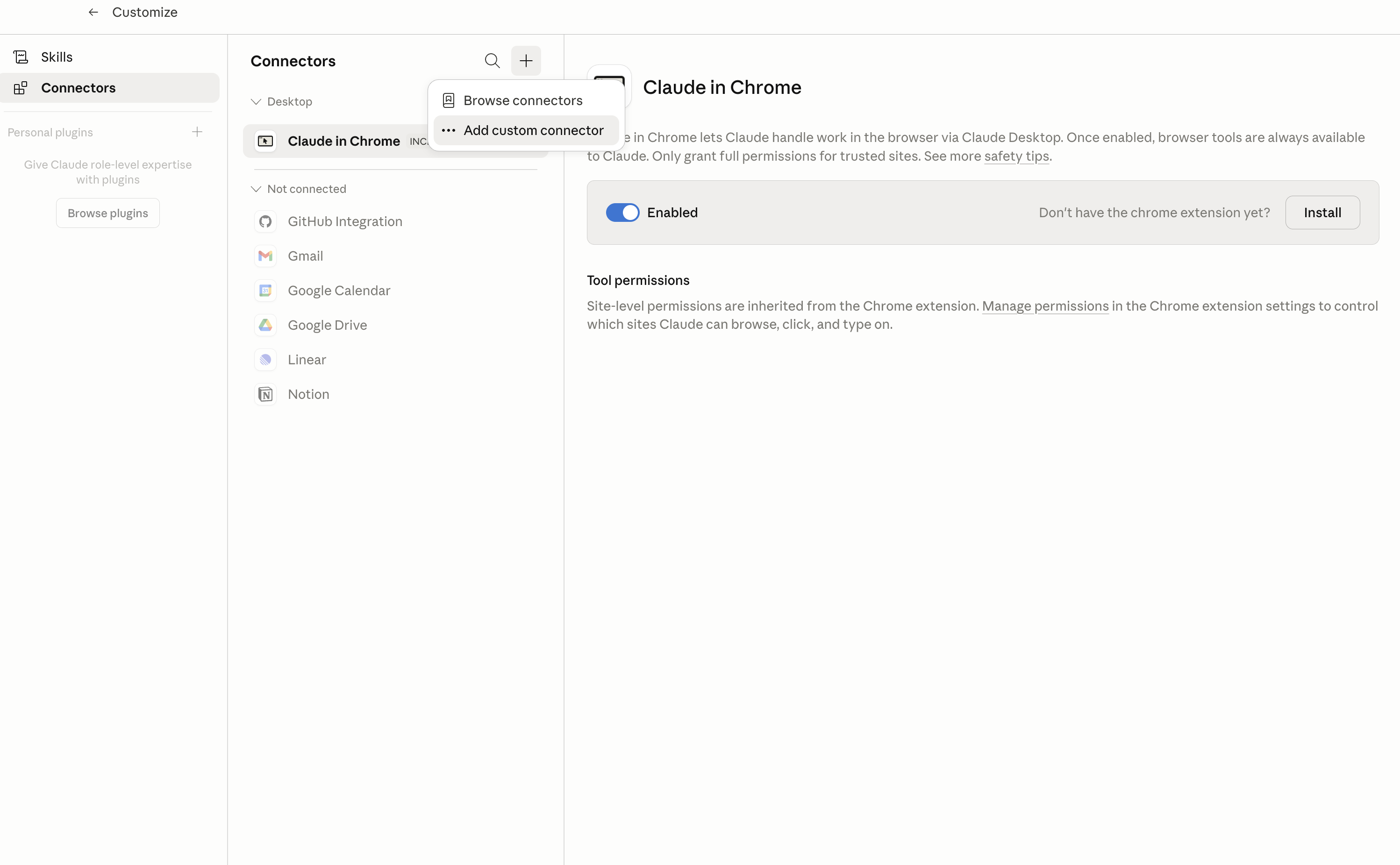
In Claude Desktop, click Customize in the left sidebar, then select Connectors and click the + icon at the top.

Claude Desktop connectors screen with Add custom connector selected

2. Add the Composio MCP server

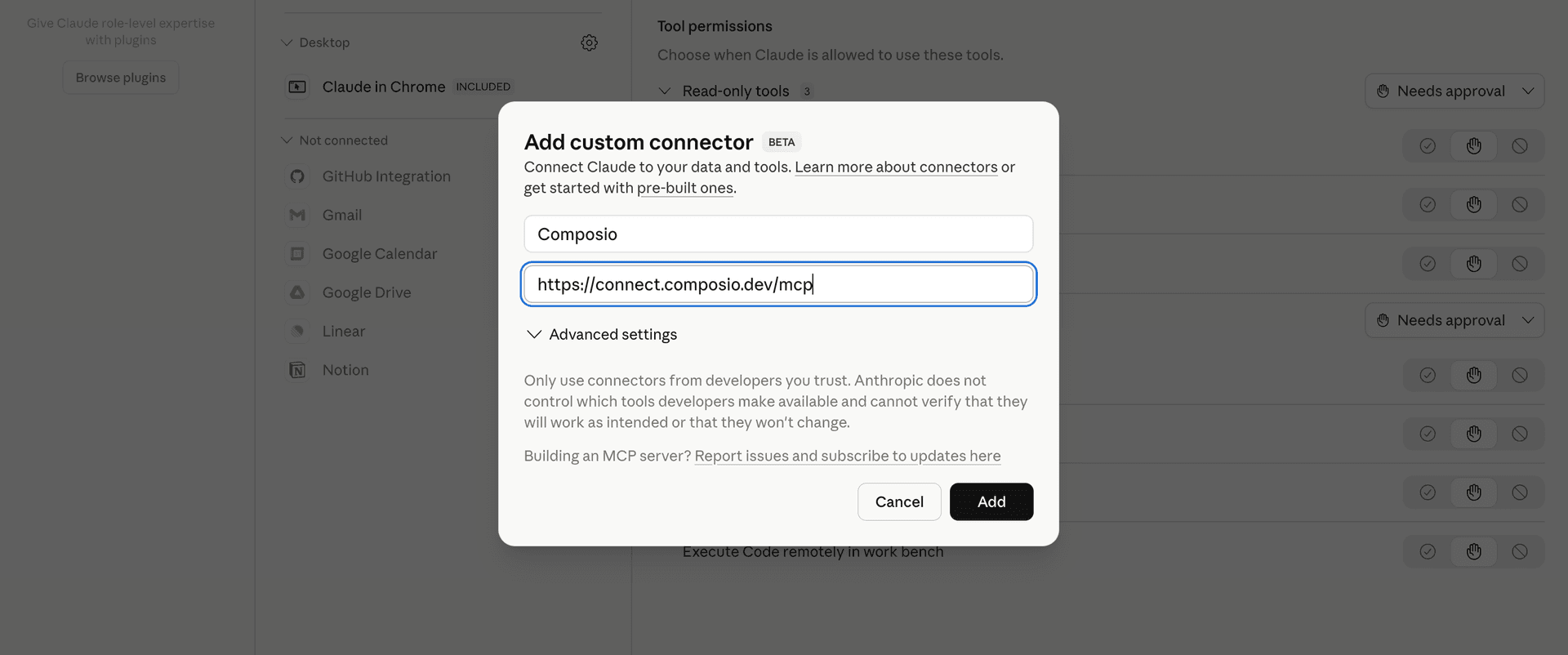
Click Add custom connector and paste in the Composio MCP server URL:

bash
https://connect.composio.dev/mcp
Add custom connector dialog with Composio MCP server URL

3. Authorize in your browser

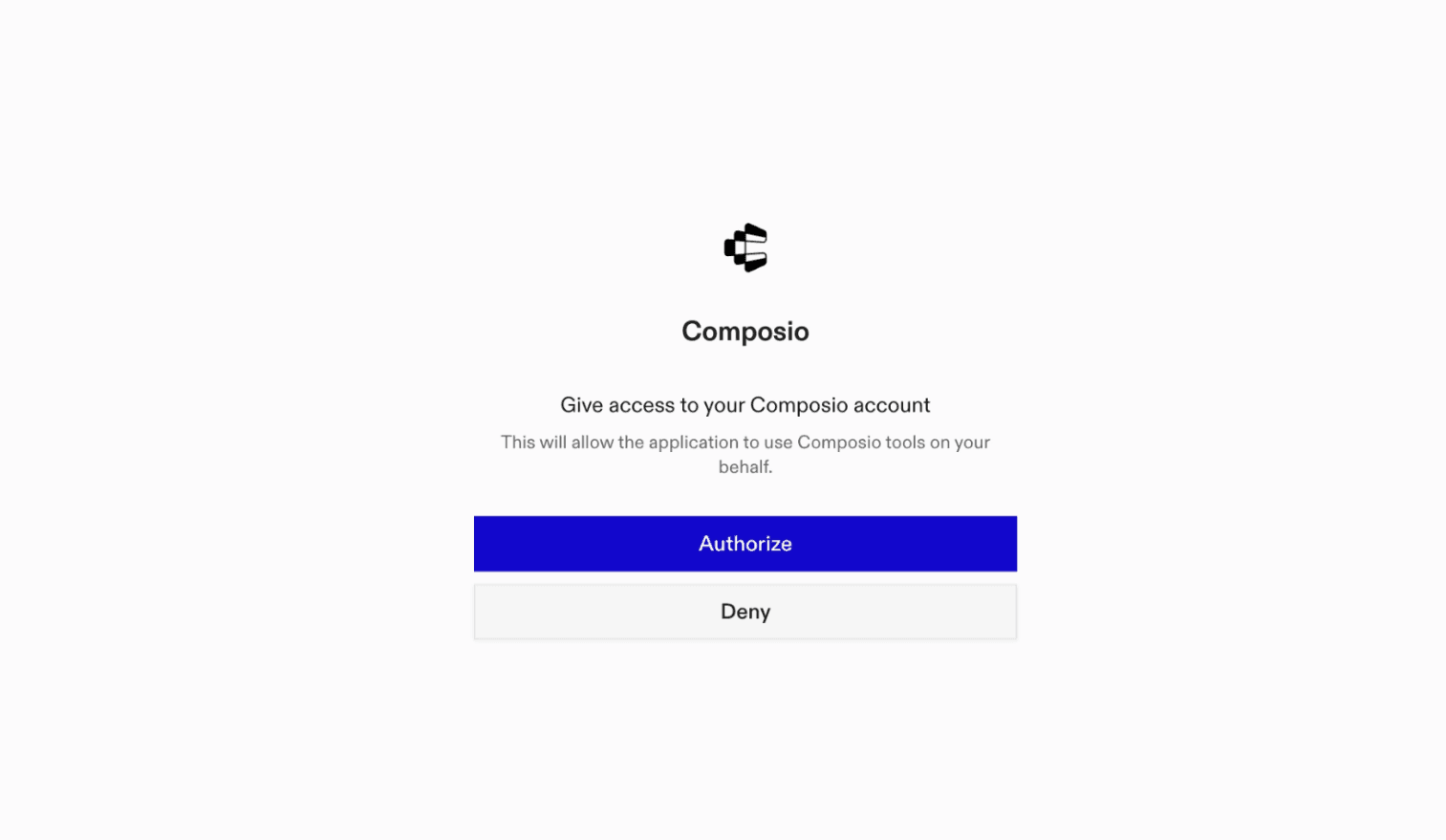
Click Connect. You'll be redirected to a browser window where you can authorize Composio to continue.

Composio authorization screen for Claude Cowork

4. Connect your Cats account

Back in Cowork, ask the agent to connect to Cats or give it any Cats-related task.

For example, ask Cowork to:

  • "Show me five random cat images"
  • "List popular cat breeds with photos"
  • "Find unique cat facts for trivia"

It will prompt you to authenticate and authorize access.

That's it. Composio's tools are now available in Cowork, and your Cats account is ready to use.

What is Claude Cowork?

Claude Cowork is Anthropic's agent for general knowledge work. It can use your computer, files, and connected applications to complete longer-running tasks across your work tools.

With Composio Connect, Cowork can securely access apps like Cats through MCP without you sharing account credentials directly with the agent.

What is the Cats MCP server, and what's possible with it?

The Cats MCP server is an implementation of the Model Context Protocol that connects your AI agent and assistants like Claude, Cursor, etc directly to your Cats account. It provides structured and secure access to a wide collection of cat images, breed information, and fun feline facts, so your agent can fetch cat data, browse curated cat images, and pull breed details on your behalf.

  • Portals listing for cat resources: Instruct your agent to list and browse all available cat-related portals, making it easy to explore organized collections of cat images and data.
  • Metadata exploration with pagination: Have your agent efficiently page through vast cat collections, ensuring you can access just the right portal or dataset without missing a thing.
  • On-demand cat image discovery: Let your agent find and retrieve high-quality cat images from the API’s large, curated library—perfect for enrichment or just a dose of cuteness.
  • Access to detailed breed and fact data: Ask your agent to pull up detailed info on cat breeds and fun facts, making it a handy assistant for both research and entertainment.
TOOLS

Supported Tools

Every Cats action and event your agent gets out of the box.

Create Favourite

Tool to save an image as a favourite to your account.

Create Vote

Tool to vote on a cat image.

Delete Favourite

Tool to delete a favourite from your account by its ID.

Delete Image

Delete an uploaded image from your account by its ID.

Delete Vote

Tool to delete a vote from your account by its ID.

Get Cat Breed by ID

Tool to get detailed information about a specific cat breed by its ID.

Get Favourite by ID

Tool to retrieve a specific favourite by its unique ID.

Get Cat Image by ID

Tool to retrieve a specific cat image by its unique ID.

Get Image Analysis

Get machine learning analysis results for an uploaded image.

Get Image Breeds

Tool to retrieve breed information associated with a specific cat image.

Get Cat Breeds

Retrieves a paginated list of cat breeds from The Cat API.

Get Vote by ID

Retrieves a specific vote by its unique ID from The Cat API.

List Image Categories

Retrieves a list of all active image categories from The Cat API.

List Favourites

Tool to get all favourites belonging to your account.

List Uploaded Images

Tool to get all images uploaded to your account via /images/upload.

List Votes

Tool to retrieve all votes you have created.

Search Cat Breeds

Search for cat breeds by name.

Search Cat Images

Search for random cat images with optional filters.

FAQ

Frequently asked questions

With a standalone Cats MCP server, the agents and LLMs can only access a fixed set of Cats tools tied to that server. However, with the Composio Tool Router, agents can dynamically load tools from Cats and many other apps based on the task at hand, all through a single MCP endpoint.

Yes, you can. Claude Cowork fully supports MCP integration. You get structured tool calling, message history handling, and model orchestration while Tool Router takes care of discovering and serving the right Cats tools.

Yes, absolutely. You can configure which Cats scopes and actions are allowed when connecting your account to Composio. You can also bring your own OAuth credentials or API configuration so you keep full control over what the agent can do.

All sensitive data such as tokens, keys, and configuration is fully encrypted at rest and in transit. Composio is SOC 2 Type 2 compliant and follows strict security practices so your Cats data and credentials are handled as safely as possible.

Start with Cats.It takes 30 seconds.

Managed auth, hosted MCP servers, and every Cats tool your agent needs.Free to start.

Start building