

How to connect Algodocs to Claude Cowork

Cowork is Anthropic's AI agent for knowledge work. Think of it as Claude Code for everything else. It works autonomously with your computer, local files, and applications to accomplish complex tasks. This guide walks you through the easiest and most secure way to connect your Algodocs account to Cowork via Composio Connect, enabling it to extract invoice totals from uploaded PDFs, pull key data fields from bank statements, summarize contract terms from scanned documents, and more such actions on your behalf without compromising your account security.
Algodocs logoAlgodocs
Api KeyBasic

Algodocs is an AI-powered platform that automates data extraction from business documents. It delivers fast, secure, and accurate processing without templates or manual training.

3 Tools

Introduction

Cowork is Anthropic's AI agent for knowledge work. Think of it as Claude Code for everything else. It works autonomously with your computer, local files, and applications to accomplish complex tasks.

This guide walks you through the easiest and most secure way to connect your Algodocs account to Cowork via Composio Connect, enabling it to extract invoice totals from uploaded PDFs, pull key data fields from bank statements, summarize contract terms from scanned documents, and more such actions on your behalf without compromising your account security.
Also integrate Algodocs with

Connecting Algodocs to Claude Cowork

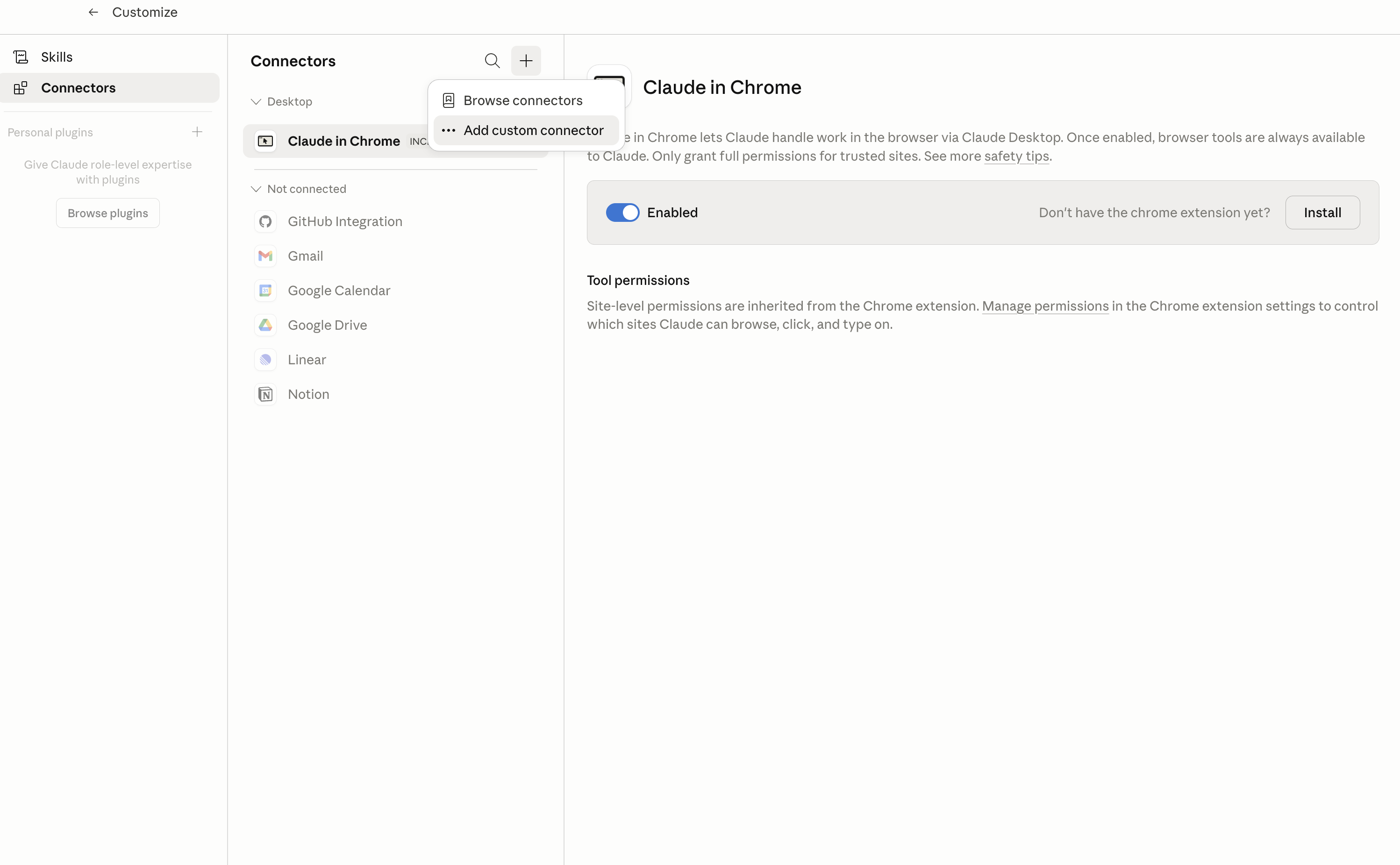
1. Open Customize

In Claude Desktop, click Customize in the left sidebar, then select Connectors and click the + icon at the top.

Claude Desktop connectors screen with Add custom connector selected

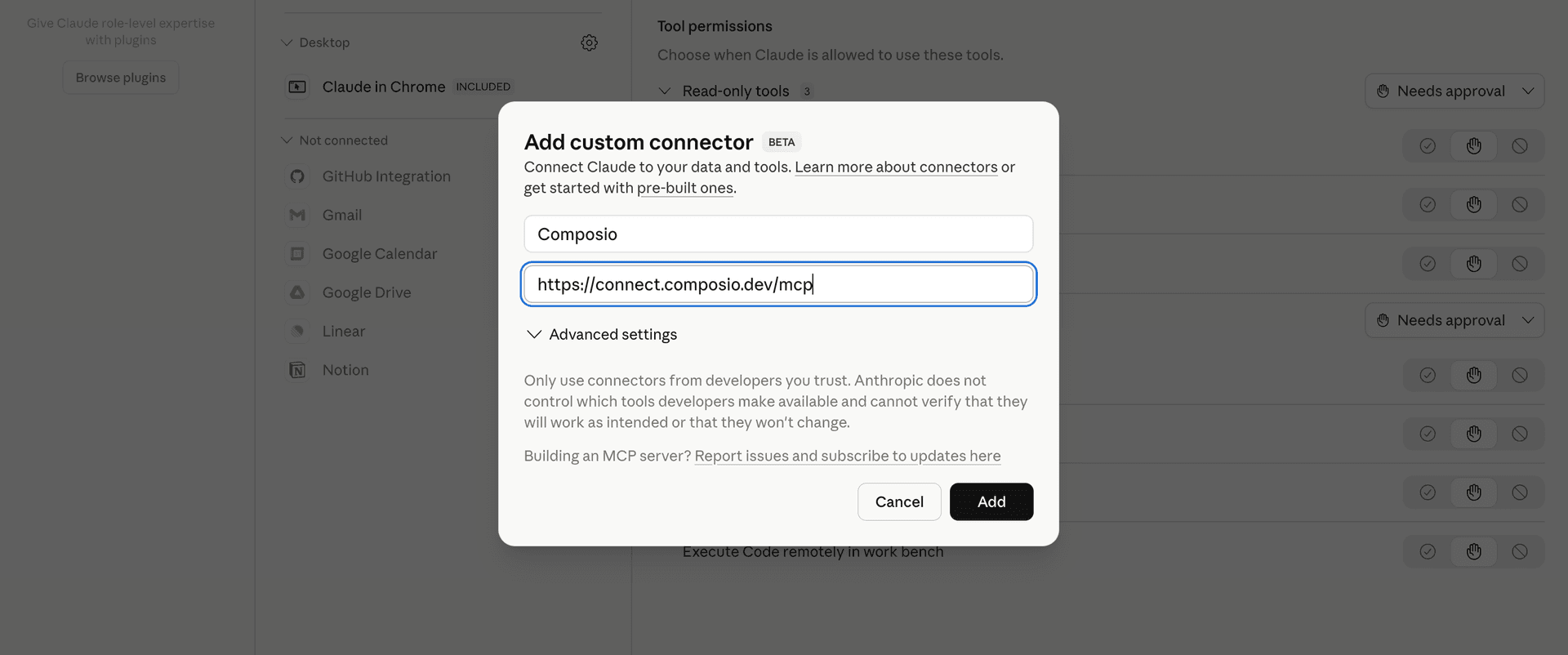
2. Add the Composio MCP server

Click Add custom connector and paste in the Composio MCP server URL:

bash
https://connect.composio.dev/mcp
Add custom connector dialog with Composio MCP server URL

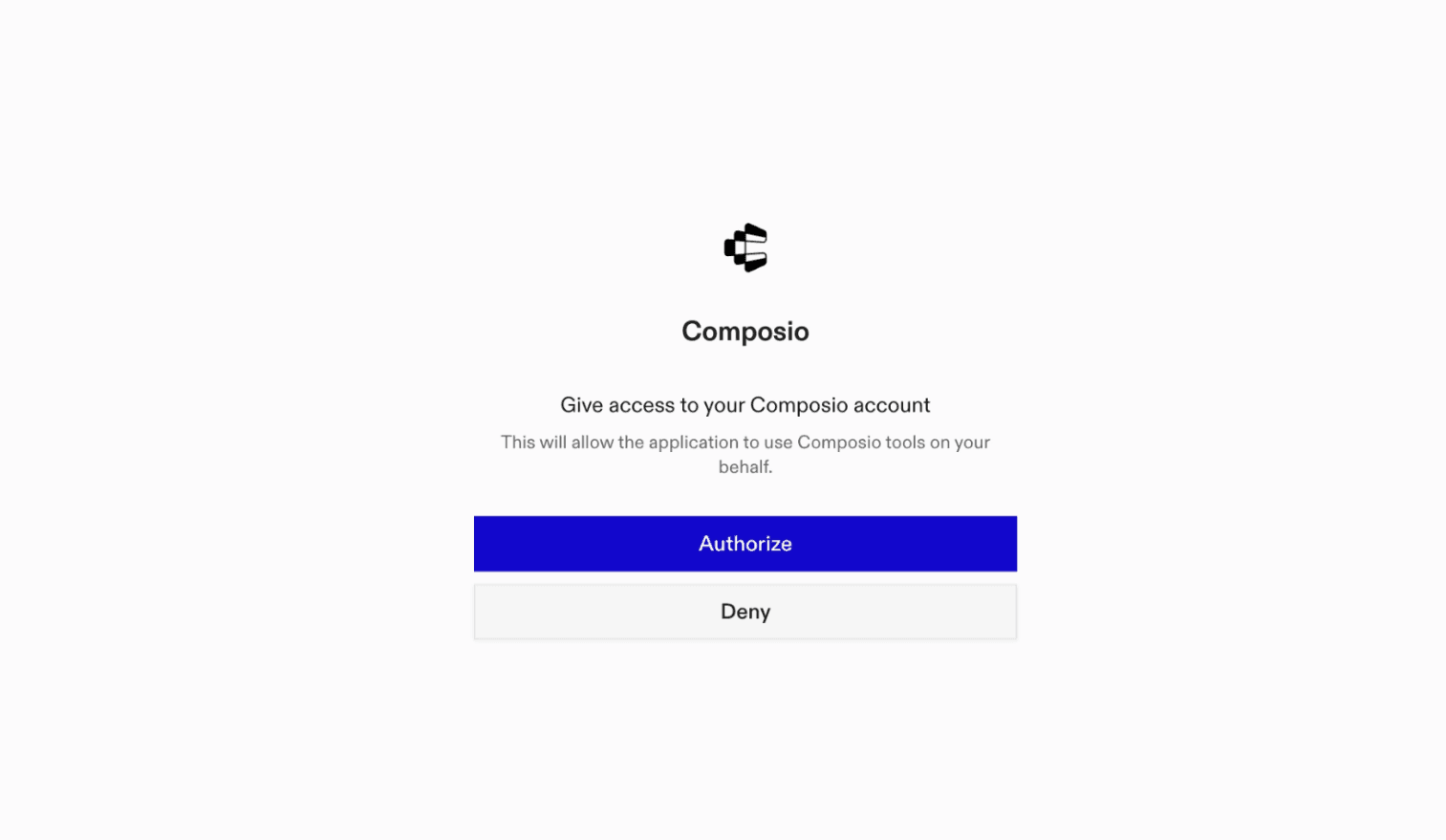
3. Authorize in your browser

Click Connect. You'll be redirected to a browser window where you can authorize Composio to continue.

Composio authorization screen for Claude Cowork

4. Connect your Algodocs account

Back in Cowork, ask the agent to connect to Algodocs or give it any Algodocs-related task.

For example, ask Cowork to:

  • "Extract invoice totals from uploaded PDFs"
  • "Pull key data fields from bank statements"
  • "Summarize contract terms from scanned documents"

It will prompt you to authenticate and authorize access.

That's it. Composio's tools are now available in Cowork, and your Algodocs account is ready to use.

What is Claude Cowork?

Claude Cowork is Anthropic's agent for general knowledge work. It can use your computer, files, and connected applications to complete longer-running tasks across your work tools.

With Composio Connect, Cowork can securely access apps like Algodocs through MCP without you sharing account credentials directly with the agent.

What is the Algodocs MCP server, and what's possible with it?

The Algodocs MCP server is an implementation of the Model Context Protocol that connects your AI agent and assistants like Claude, Cursor, etc directly to your Algodocs account. It provides structured and secure access to your document processing workflows, so your agent can perform actions like extracting key data, processing business documents, and automating document-driven tasks on your behalf.

  • Automated data extraction from documents: Seamlessly have your agent pull structured data from invoices, receipts, contracts, and other business files—no manual setup required.
  • Document upload and processing: Let your agent upload PDF, image, or scanned documents for instant AI-powered extraction and analysis.
  • Batch processing for bulk workflows: Direct your agent to process multiple documents at once, saving time on high-volume operations and back-office work.
  • Secure results delivery and export: Have your agent retrieve extracted data in structured formats (like CSV or JSON) and send it where you need it—databases, spreadsheets, or apps.
  • End-to-end automation for business paperwork: Empower your agent to trigger full document-processing pipelines, turning unstructured files into actionable insights without human intervention.
TOOLS

Supported Tools

Every Algodocs action and event your agent gets out of the box.

Get Current User

Tool to retrieve current user information.

List document data extractors

Tool to list document data extractors.

List folders

Tool to list folders.

FAQ

Frequently asked questions

With a standalone Algodocs MCP server, the agents and LLMs can only access a fixed set of Algodocs tools tied to that server. However, with the Composio Tool Router, agents can dynamically load tools from Algodocs and many other apps based on the task at hand, all through a single MCP endpoint.

Yes, you can. Claude Cowork fully supports MCP integration. You get structured tool calling, message history handling, and model orchestration while Tool Router takes care of discovering and serving the right Algodocs tools.

Yes, absolutely. You can configure which Algodocs scopes and actions are allowed when connecting your account to Composio. You can also bring your own OAuth credentials or API configuration so you keep full control over what the agent can do.

All sensitive data such as tokens, keys, and configuration is fully encrypted at rest and in transit. Composio is SOC 2 Type 2 compliant and follows strict security practices so your Algodocs data and credentials are handled as safely as possible.

Start with Algodocs.It takes 30 seconds.

Managed auth, hosted MCP servers, and every Algodocs tool your agent needs.Free to start.

Start building








